Course's language
With Kindo, you can learn Korean from the comfort of your native language, whether it's English or Vietnamese. Our app makes it simple to switch between them as you study.
Add new course's language
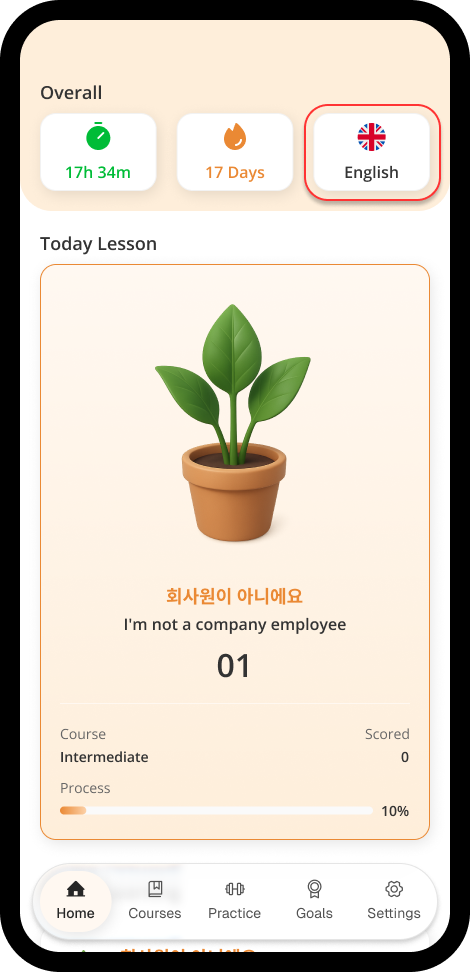
After signed in, in Home tab, click the Country Flag button - which the 3rd button in Overall section
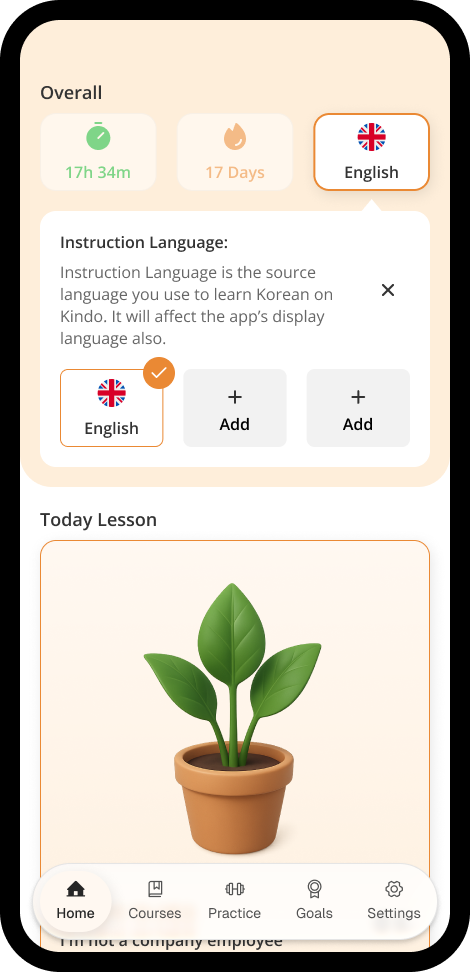
A new part will be opened, then click + Add button.
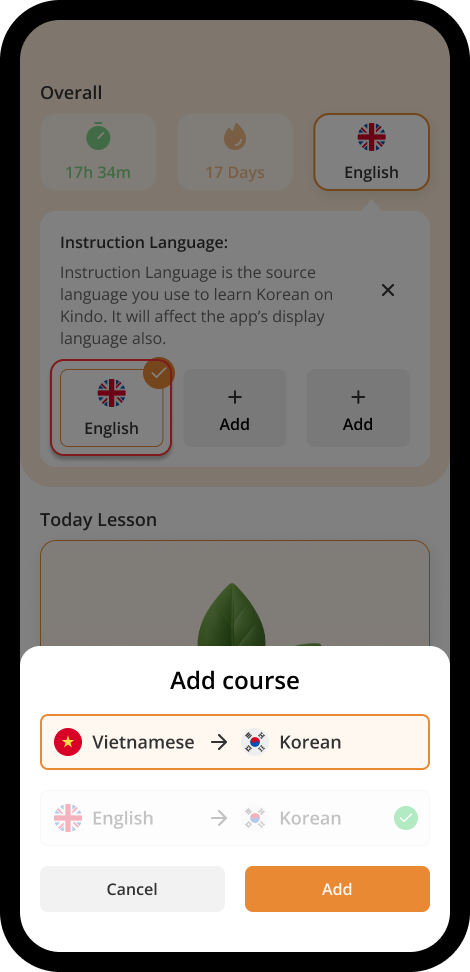
A drawer will be slided in, then select the course's language you want to change, after completed, click Add button.
Now you've completed changed your course's language.
Change & Remove course's language
To change / remove the language of a course, click the Country Flag button - which the 3rd button in Overall section
Then click the Course's Language button you desire to change. Or click the Red Minus (-) button to remove any unselected course
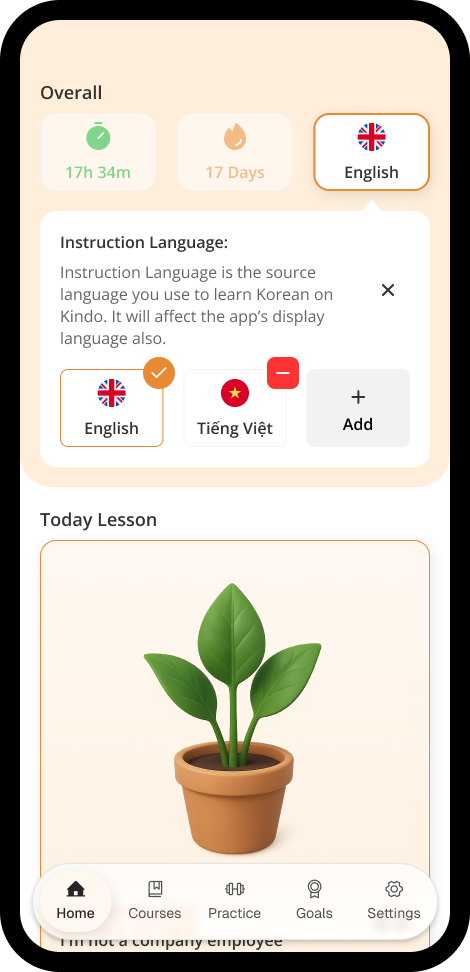
*NOTE: Your learning process will not be synced between course's languages.